I've been using Claude Code a lot more over the last 6 months. The best outputs I've gotten from Claude Code have come from plans that are well thought out, explore a variety of edge cases or various strategies, and then consolidate on a plan of attack. The terminal is great, but the chat UI in general can leave me feeling less precise and more like I'm backseat driving a junior developer via Slack than writing my best code.
Plannotator is a tool that makes coming up with these plans feel more collaborative and give context or feedback in a much more precise way.
To me, Plannotator is one of the best examples of "chat is a bad UI pattern" since it does such a great job making what felt like typing context-less prose into a back-and-forth conversation, into what feels like reviewing an RFP Google Doc from a teammate.
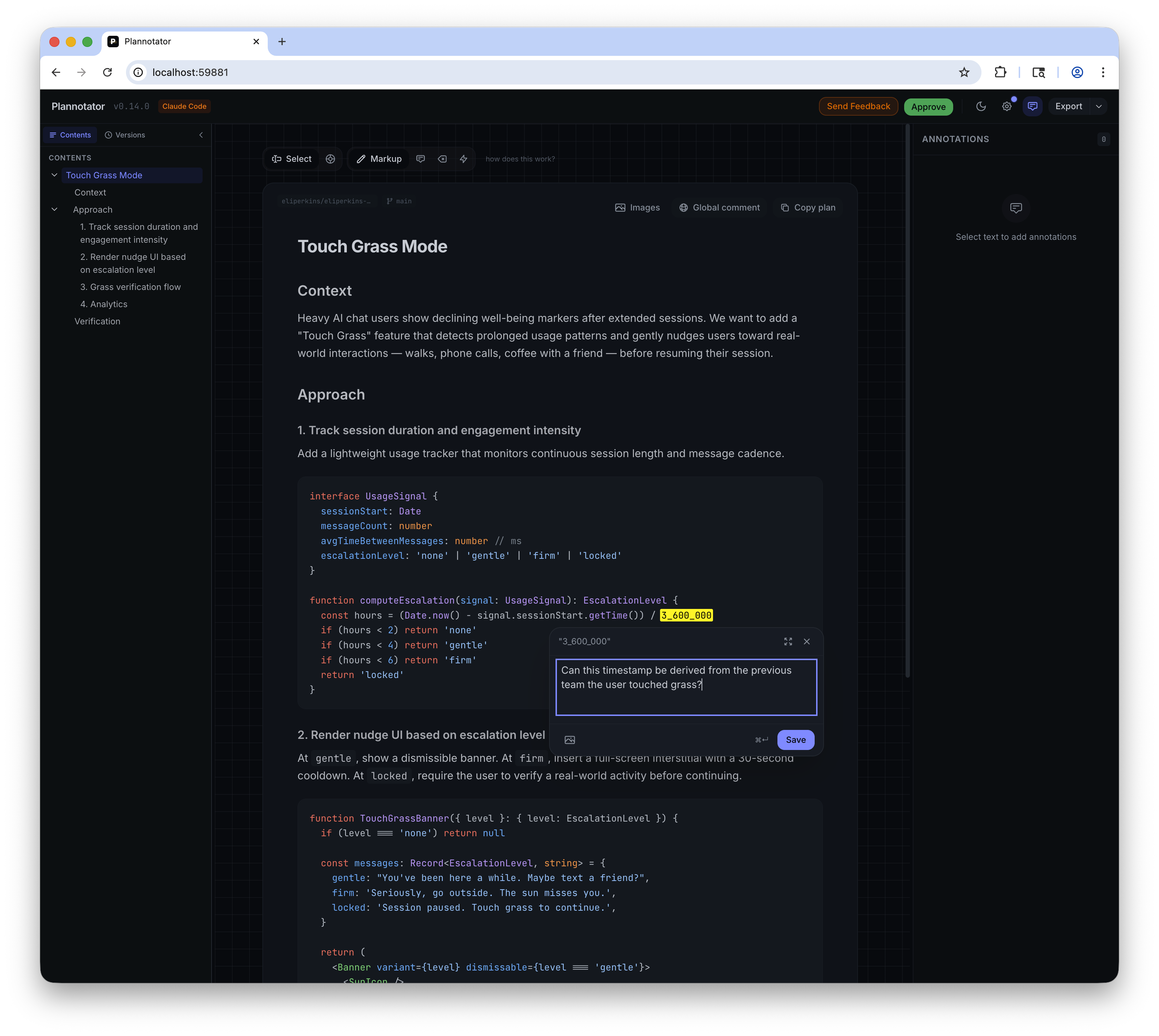
Plannotator hooks into Claude Code's Plan Mode, so once a plan is devised by Claude Code, Plannotator pops open a localhost website for you. Markup, leave questions or comments, and accept or reject the plan. Any comment will reject the plan, giving your agent another go at creating its best work. Approving a plan sets it off and running.
Comments can be on individual words, sentences, paragraphs, sections or even on the whole plan itself. This context not only helps me from a human perspective (I hate when folks give me a list of feedback in a comment on a PR, rather than asking questions on a per-line basis), but also helps your clanker generate better plans that produce the results you want.
Getting started with Plannotator is about as easy as it comes too (although I wish it came in a Homebrew variant without piping into bash):
# Forgive me father, for I am about to sin.
curl -fsSL https://plannotator.ai/install.sh | bash

# In Claude Code:
/plugin marketplace add backnotprop/plannotator
/plugin install plannotator@plannotator
Give it a go, and watch your plans become more refined, more precise, and your results look more like what you'd expect from your peers.